Need to change your online training profile username, email address, name, or password? Read on:
Note: If you haven't already registered your online training seats, follow the instructions in this help article.
Editing your name, username, or email address
To edit your training profile name, username or email address, contact support.
Changing your password
During Login
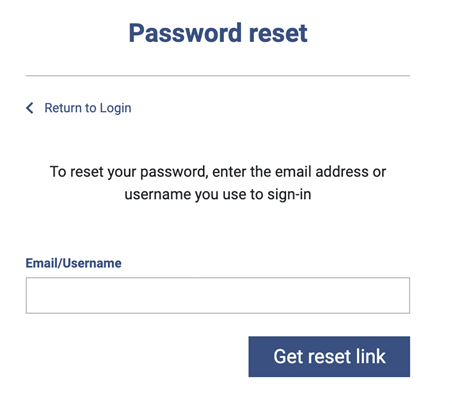
You can change your password via the login page at training.oshamanual.com by clicking on the "Lost My Password" link and entering your email address.
After Login
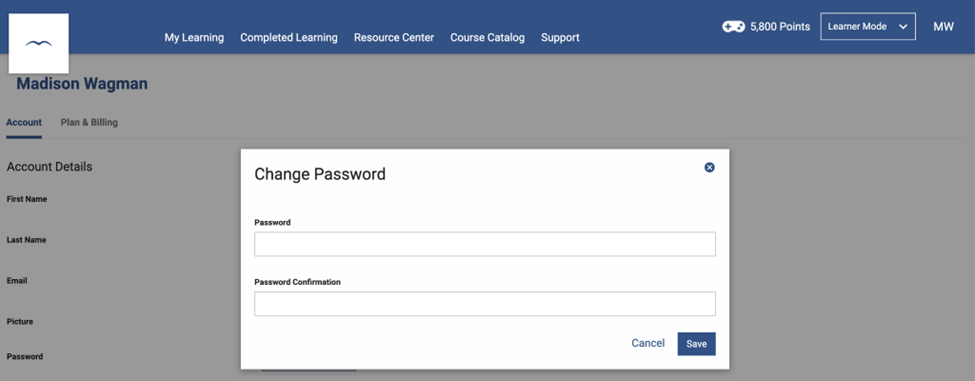
At the top right, click on the arrow beside your name. Go to My Account.
Click on the Change Password button. Enter a new password and click Save when done.
Changing staff member passwords if you are a Manager
If you are a group manager in the training platform, you are able to edit the password of the members in your group.
- Log in to your manager dashboard at training.oshamanual.com.
- in the top menu bar, select Manager > My Groups and click on your group name.
- Click on the pencil icon under the "Edit Password" column for the staff member you'd like to change the password for.
- Fill out the new password details and click "Update password".
The staff member's password is now updated and they can log in using the new password. They'll also get an email notification of the change.